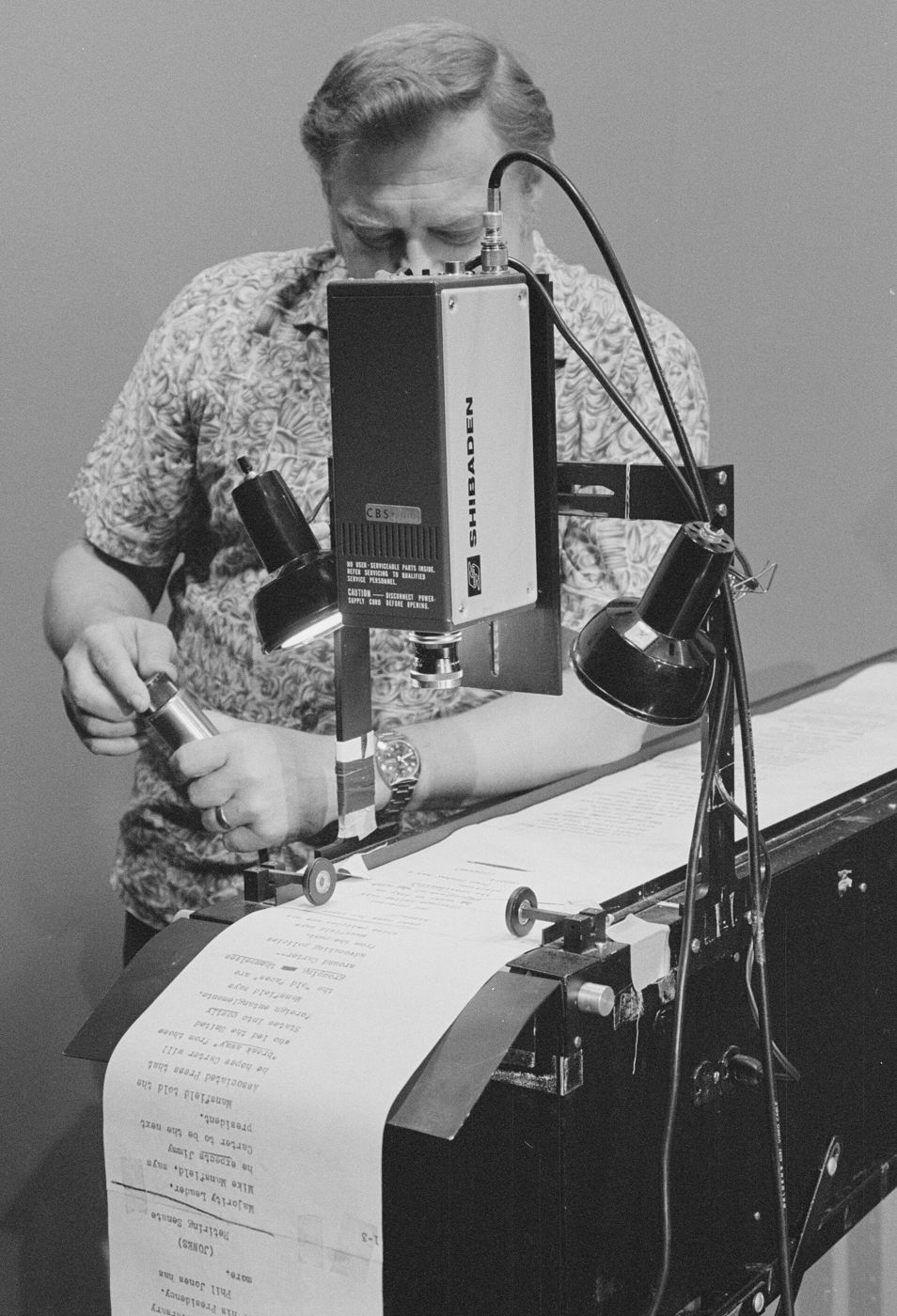
A lot of people blame the teleprompter when they sound stiff on camera. Often the real problem is the script. Text written to be read silently, with long sentences and formal phrasing, is hard to say out loud without sounding like you are reading. Text written to be spoken is easy.
This guide covers how to write a video script you can read naturally: how to write for the ear, how to lay it out for a teleprompter, how to open strongly, and how long it should be.
Write for the ear, not the eye
When people read, they can slow down, go back and reread a tricky sentence. When people listen, they cannot. Every sentence has to make sense the first time they hear it. That changes how you write:
- Use everyday words. Say use instead of utilise, help instead of facilitate, about instead of approximately.
- Put the main point early in the sentence, not after a long build-up.
- Avoid brackets, footnotes and asides. They work on a page but get lost when spoken.
- Spell out things the way you say them. Write numbers and symbols in the form you will speak, so you do not hesitate on screen.
A useful test: would you say this sentence to a friend across a table? If not, rewrite it until you would.
Keep sentences short
Short sentences are easier to say, easier to breathe through and easier to follow. They also give you natural places to look up at the camera. A sentence that runs over two or three lines of a teleprompter usually needs to be split in two.
That does not mean every sentence should be tiny. A mix of short and medium sentences sounds more human than a string of identical ones. But when in doubt, cut it in half.
One idea per line
How you lay out the script matters as much as the words. Instead of writing dense paragraphs, put each phrase or idea on its own line. On a teleprompter, this means you read one short chunk, then look at the lens while you say the end of it.
Here is the difference. A paragraph like this is hard to read live:
Today I want to show you three quick changes you can make to your morning routine that will save you around twenty minutes and make the start of your day a lot calmer than it is right now.
Broken into spoken lines, it becomes:
- Three quick changes to your morning.
- They save you about twenty minutes.
- And they make the start of your day a lot calmer.
- Let's start with the first one.
Same message, half the effort to say, and far easier to deliver while keeping eye contact. For more on that, see how to make eye contact with the camera.
Use contractions
People speak in contractions: it's, you'll, we're, don't, can't. Written scripts often spell them out, and reading do not or it is aloud instantly sounds formal. Go through your draft and contract anything you would contract in conversation. It is one of the quickest ways to make a script sound like you.
Mark pauses with line breaks
Pauses are part of the script. They give the viewer time to absorb a point, and they give you time to breathe and look up. The simplest way to plan them is with layout:
- A new line means a short pause.
- An empty line between blocks means a longer pause, such as before a new section or after an important point.
- Put the word you want to stress at the end of a line, where you naturally land on it.
This works especially well on a teleprompter, because you can see the pauses coming. Line spacing settings help too. In Eyecue you can increase line spacing and margins so each line stands on its own.
Hook viewers in the first five seconds
The opening is the most important part of any video script. Viewers decide very quickly whether to keep watching, so skip the long introduction and get to the point. A few reliable openings:
- State the result: what the viewer will be able to do by the end.
- Name the problem they have, in their own words.
- Ask a specific question they want answered.
- Show the most interesting moment first, then explain how you got there.
Introduce yourself after the hook, briefly, if at all. Hi, my name is, and welcome back to my channel can wait until you have given people a reason to stay.
End with one clear next step
Close by telling viewers one thing to do: try the method, watch the next video, visit your site. One request is easier to remember than three. Keep the ending short and look into the lens for the last line.
Read it aloud before you record
This is the single most useful editing step. Read the whole script out loud, at your normal speaking pace. You will immediately hear what does not work:
- Mark every place you stumble. Simplify the wording there.
- Mark every place you run out of breath. Split that sentence.
- Mark every phrase you would never actually say. Replace it with what you would say.
- Read it again. Repeat until you can get through it without tripping.
Record yourself explaining the topic without a script first, then transcribe the best parts. Your spoken phrasing is often better than anything you would write.
How long should your script be?
Script length depends on how fast you speak. Most people talk at around 130 to 160 words per minute in conversation, so a one minute video is roughly 140 to 160 words, and a 30 second clip is about 70 to 80 words. For a full breakdown by video length and pace, see our guide to teleprompter speed and words per minute.
If your script is too long for the time you have, cut words rather than planning to speak faster. Rushed delivery is harder to follow and harder to read from a teleprompter.
Getting your script onto a teleprompter
Once the script is written, you need it in front of the camera. Eyecue lets you paste a script or import one from a .txt, .docx, .pdf or .rtf file, then keep scripts organised in folders, with the ones you use most pinned to the top. Your text then scrolls right under the front camera while you record.
Keep the formatting you planned: short lines, blank lines for longer pauses. Then adjust the text size and scroll speed until it matches your pace, do a practice run, and record.
Questions
How do you write a script for a video?
Start with a hook that tells viewers what they will get, cover one idea at a time in short spoken sentences, end with one clear next step, and read the whole thing aloud to fix anything that is hard to say.
How many words should a 2 minute video script be?
About 280 to 320 words at a conversational pace of 140 to 160 words per minute. Use fewer words if you plan pauses or speak more slowly.
How do I make a script sound natural?
Write the way you talk: everyday words, contractions, short sentences and one idea per line. Then read it aloud and rewrite any phrase you would not say in a normal conversation.
Should a video script be word for word?
It can be. A full script works well with a teleprompter as long as it is written for speaking. Some people prefer bullet points, but a word-for-word script keeps you concise and avoids rambling.
Eyecue scrolls your script right under the camera, so you read while looking into the lens.